Chapter 5
Running a search
A search is a category and a location. Everything else is optional and can be tuned with a service, a mode or the advanced options.
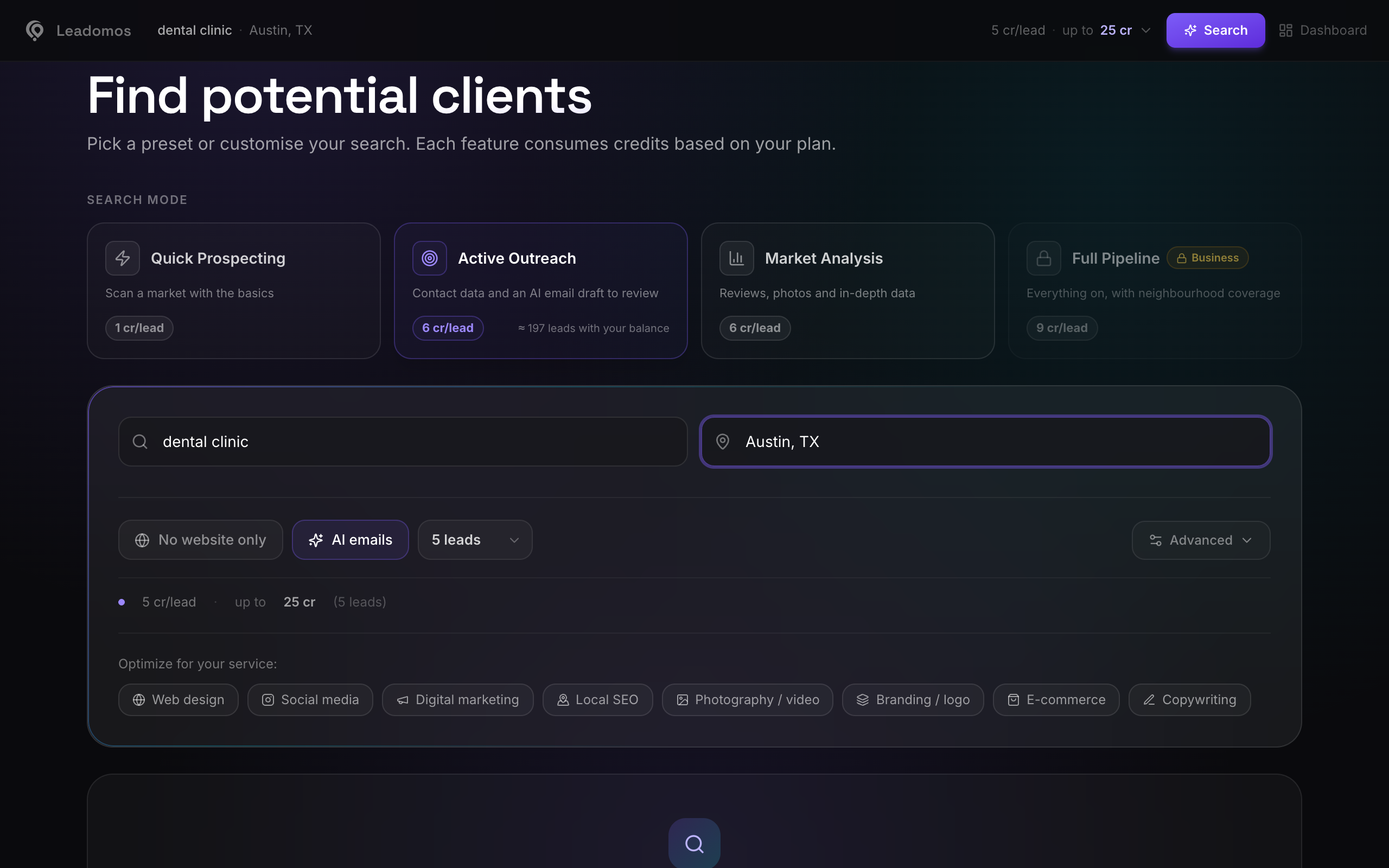
The basics
- In the first field, the category: "coffee shop", "dental clinic", "auto repair". It works best in a simple singular or plural and in the country's language.
- In the second, the location: a city, or a neighbourhood with its city ("Brooklyn, New York"). One city per search works best.
- Choose how many results you want (up to 100).
- If you sell websites, tick No website only to see only businesses without a website.
- Check the Estimated breakdown and press Search.
A search usually takes a minute or two: between 20 seconds and two and a half minutes, depending on the city and the options. With AI emails on, a little longer.
Optimize for your service
Below the search box, Optimize for your service sets the options for what you sell. You can change any of them afterwards.
| Service | What it sets |
|---|---|
| Web design | Only businesses without a website, rated 3 stars or more, contacts and socials |
| Social media | Businesses with a website, their socials (Facebook, Instagram, TikTok) and some reviews |
| Digital marketing | All businesses, contacts, socials, a few reviews and the full listing |
| Local SEO | Businesses with a website, the full listing, customer questions and services |
| Photography / video | Businesses with a website rated 3.5 stars or more, Instagram, TikTok, YouTube and photos |
| Branding / logo | Businesses without a website, contacts and socials |
| E-commerce | Businesses without a website rated 3.5 stars or more, socials, photos and reviews |
| Copywriting | Businesses with a website, the full listing, Instagram, X and reviews |
Services turn on the AI email if your plan includes it (from Pro). Reviews and photos apply up to your plan's limit.